Device Settings
Lesson 18 of 21Device Settings Menu
If you choose to use the Ora FacePass device offline without the mobile app, you can toggle different device settings directly in the Device Settings Menu.
An administrator passcode is required to access the Device Settings Menu.
If you pair the device to the mobile app, you can set the administrator passcode in the app via User Management. If you use the device offline, then you can set the administrator passcode directly on the device.
To exit the Device Settings Menu, press the * key on the keypad until you exited the menu.
You can only set the initial administrator passcode on the device if you had not paired the device to the mobile app. In other words, you cannot set the initial administrator passcode on the device if you have already paired the device to the mobile app.
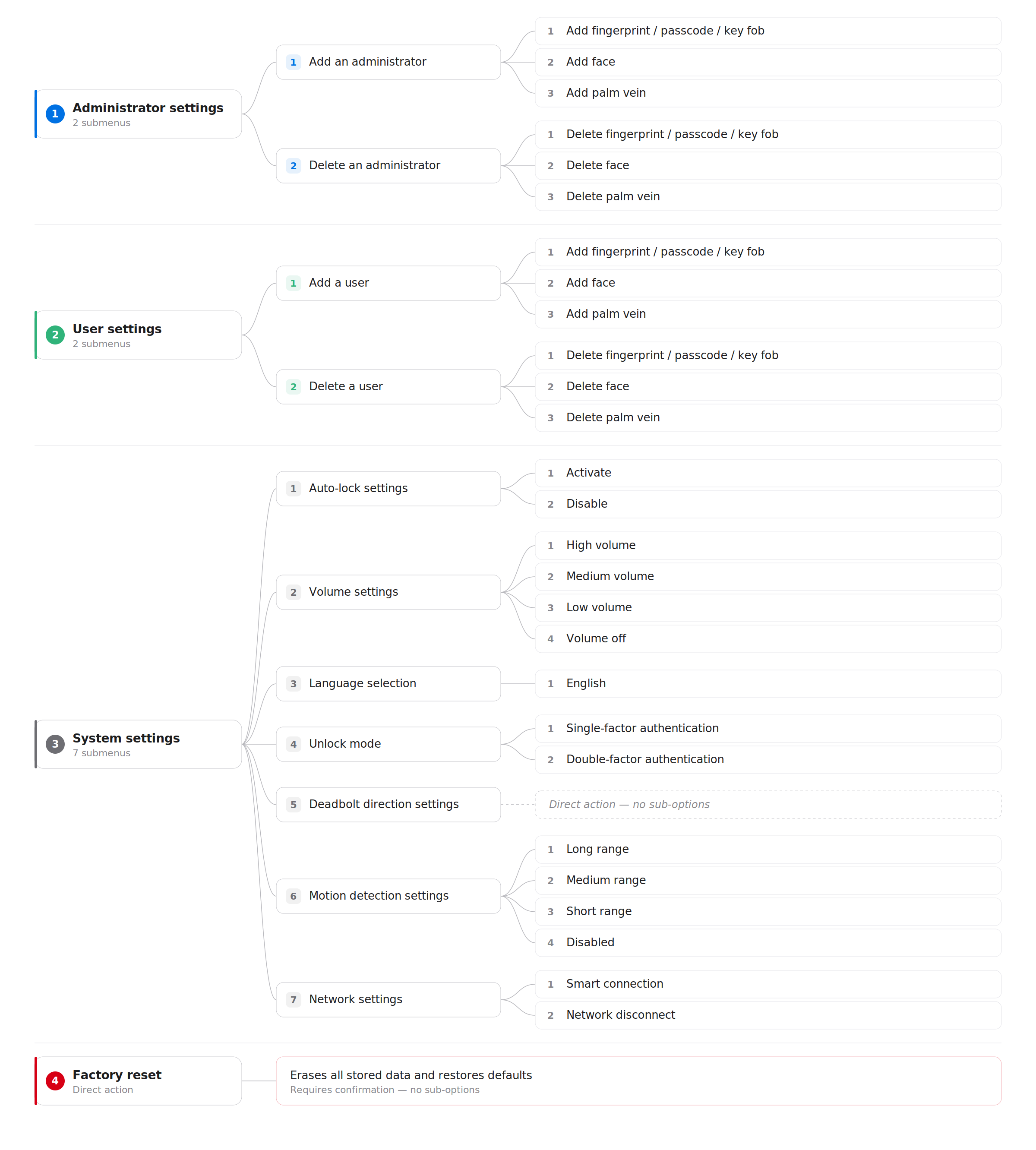
Please refer to the diagram below for the complete Device Settings Menu options.