
Device Features
Lesson 13 of 21Motion Detection / Radar
Built-in motion detection could intelligently activate facial recognition when you approach the smart lock.
Motion detection is enabled by default from the factory. You can disable it either in the mobile app or in the device settings menu.
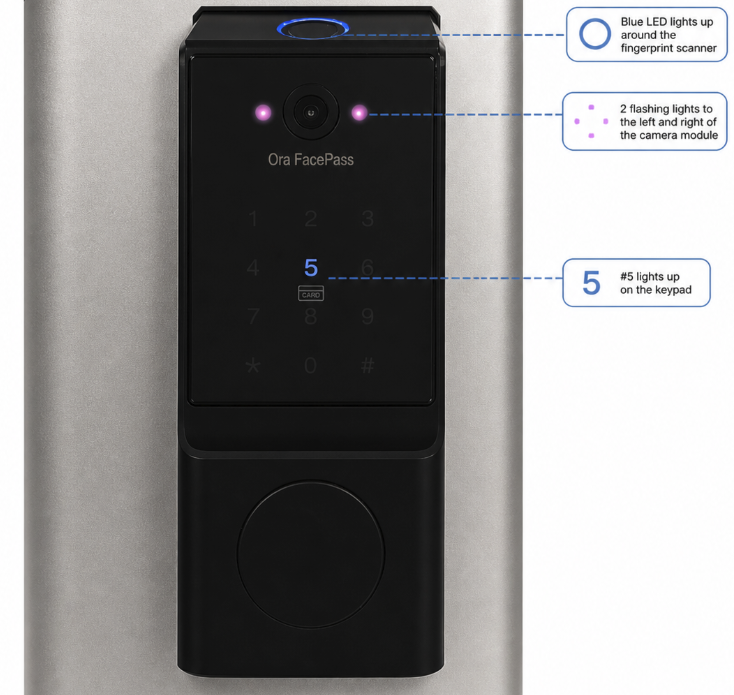
You can confirm that a movement in front of the door is detected and facial recognition is activated when you see the following indicators on the smart lock:
- A blue LED ring lights up around the fingerprint scanner
- Two red lights flash on the left and right sides of the camera module
- The “5” key lights up on the keypad
When you approach the door and want to use facial recognition but do not see three indicators described above. You can still manually trigger facial recognition by pressing around the #5 area on the keypad.
Facial recognition will only turn on automatically if at least one (1) facial profile is enrolled on the lock.
At least One (1) enrolled face profile is required for facial recognition to turn on when you approaches/wakes up the lock.